RUNDA · SUPPORTING EQUIPMENT
CQ1320 Ultrasonic Cleaner
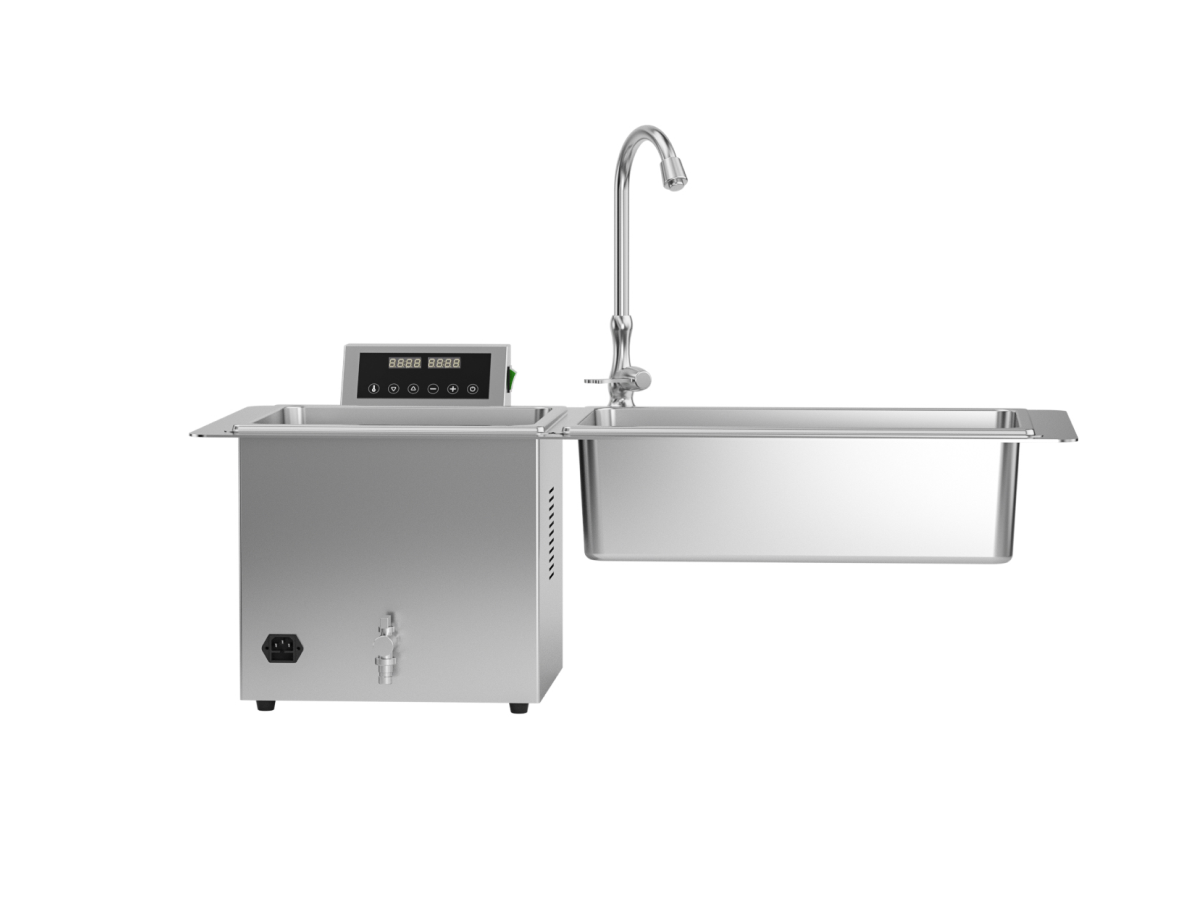
Two-tank ultrasonic cleaner with a raised control panel and faucet. Compare the work area needed for your cleaning workflow.
Plan your cleaning station around the instrument basket, tank layout and water connections.
Discuss CQ1320 with RUNDAPRODUCT FEATURES
CQ1320 Highlights
Two-tank layout
Two adjacent tanks provide separate working spaces within one station. Review the intended role of each tank and the basket arrangement for your workflow.
Accessible controls
The raised control panel keeps the display and operating buttons above the tank edge, with the work area visible in front of the operator.
Water connections
The pictured configuration includes a faucet and front drainage valve. Plan the water supply, drain access and surrounding bench space before installation.
A CLOSER LOOK
CQ1320 Product Views
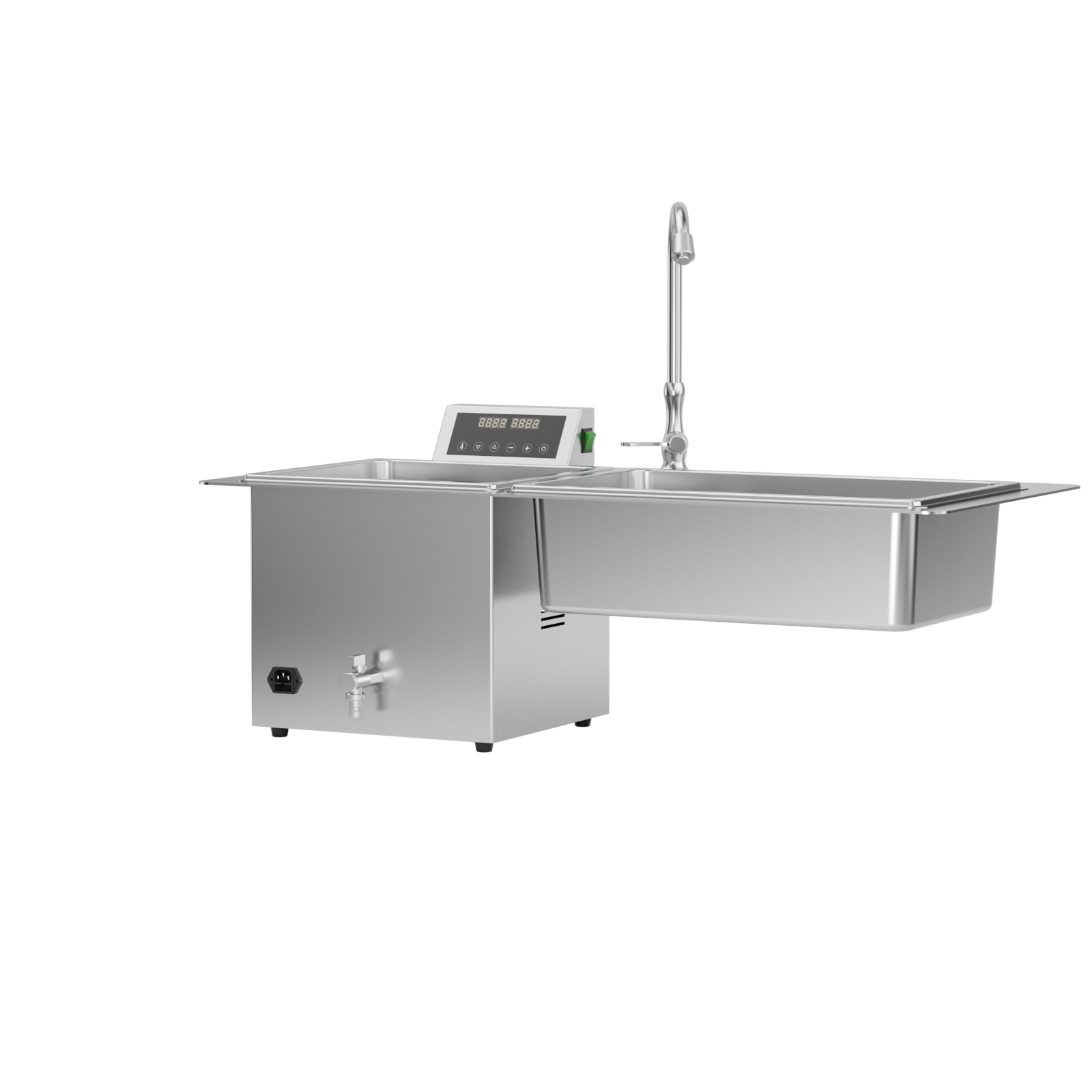
Review the two adjacent tanks, raised control panel and water fittings when planning your work area.
PLAN YOUR CONFIGURATION
Product & Configuration
| Item | Description |
|---|---|
| Product model | CQ1320 |
| Equipment type | Ultrasonic cleaner |
| Pictured tank layout | Two adjacent tanks |
| Pictured controls | Raised digital display with front-facing buttons |
| Pictured water fittings | Faucet and front drainage valve |
Request the model-specific specification sheet for tank or loading capacity, dimensions, power requirements and supplied accessories.
APPLICATION & WORKFLOW
Instrument Cleaning Preparation
Use the cleaning station for reusable instruments whose manufacturers permit ultrasonic cleaning. Share the instrument list, basket dimensions and expected batches to review the appropriate configuration.
Cleaning does not replace sterilization. Follow the instrument manufacturer’s instructions for subsequent inspection, packaging and sterilization where required.
CHOOSE YOUR WORKSTATION
Compare Ultrasonic Cleaner Layouts
Start with tank arrangement and instrument fit, then confirm the dimensions and performance of the ordered configuration.
Swipe the table sideways to view all columns. The first column stays visible.
| Model | Pictured layout | Selection focus |
|---|---|---|
| CQ1300 | Single tank with raised controls | Basket clearance, instrument fit and access to water connections |
| CQ1320 | Two adjacent tanks with one raised control panel | Overall worktop space and the intended function of each tank |
| CQ2000 | Single tank with raised controls | Usable tank dimensions and suitability for your instrument basket |
Tank count does not establish usable capacity or cleaning output. For CQ1320, confirm the function of each tank; the pictured layout alone does not establish that both tanks provide ultrasonic cleaning.
BEFORE INSTALLATION
Plan the Space & Accessories
Instrument and basket fit
Provide the longest instrument dimensions and intended basket arrangement so usable tank space can be checked.
Worktop and connections
Check the installation drawing, support requirements, water supply, drain routing and access around the equipment.
Supply and accessories
Specify destination voltage and plug type, cleaning-solution requirements, basket needs and the operating documents required by your team.
Frequently Asked Questions
How should I choose between CQ1300, CQ1320 and CQ2000?
CQ1320 has two adjacent tanks in the supplied product image; CQ1300 and CQ2000 have single-tank layouts. Compare the installation drawing, usable tank dimensions, basket and electrical specifications for your actual instrument loads before selecting a model.
Which instruments can be cleaned?
Check that the instrument manufacturer permits ultrasonic cleaning and specifies a compatible cleaning solution. Share your instrument list with RUNDA when reviewing the configuration.
Does ultrasonic cleaning replace sterilization?
No. Follow the instrument manufacturer’s instructions for cleaning, rinsing, drying, inspection and any subsequent sterilization required for the instrument.
What should I provide when requesting a quotation?
Include instrument types, batch requirements, available installation space, destination market, electrical supply and required accessories.
Where can I obtain the operating instructions?
Request the current manual and specification sheet for the configuration you intend to order. Use the instructions supplied with the delivered equipment for installation, operation and maintenance.
START YOUR ENQUIRY
Discuss CQ1320 for Your Project
Choose your enquiry route so RUNDA can focus on your application or distribution requirements.